
You can easily share a copy of any personal board from your Library so a colleague can use or adapt it for their own teaching.
Option 1: Share from Your Library
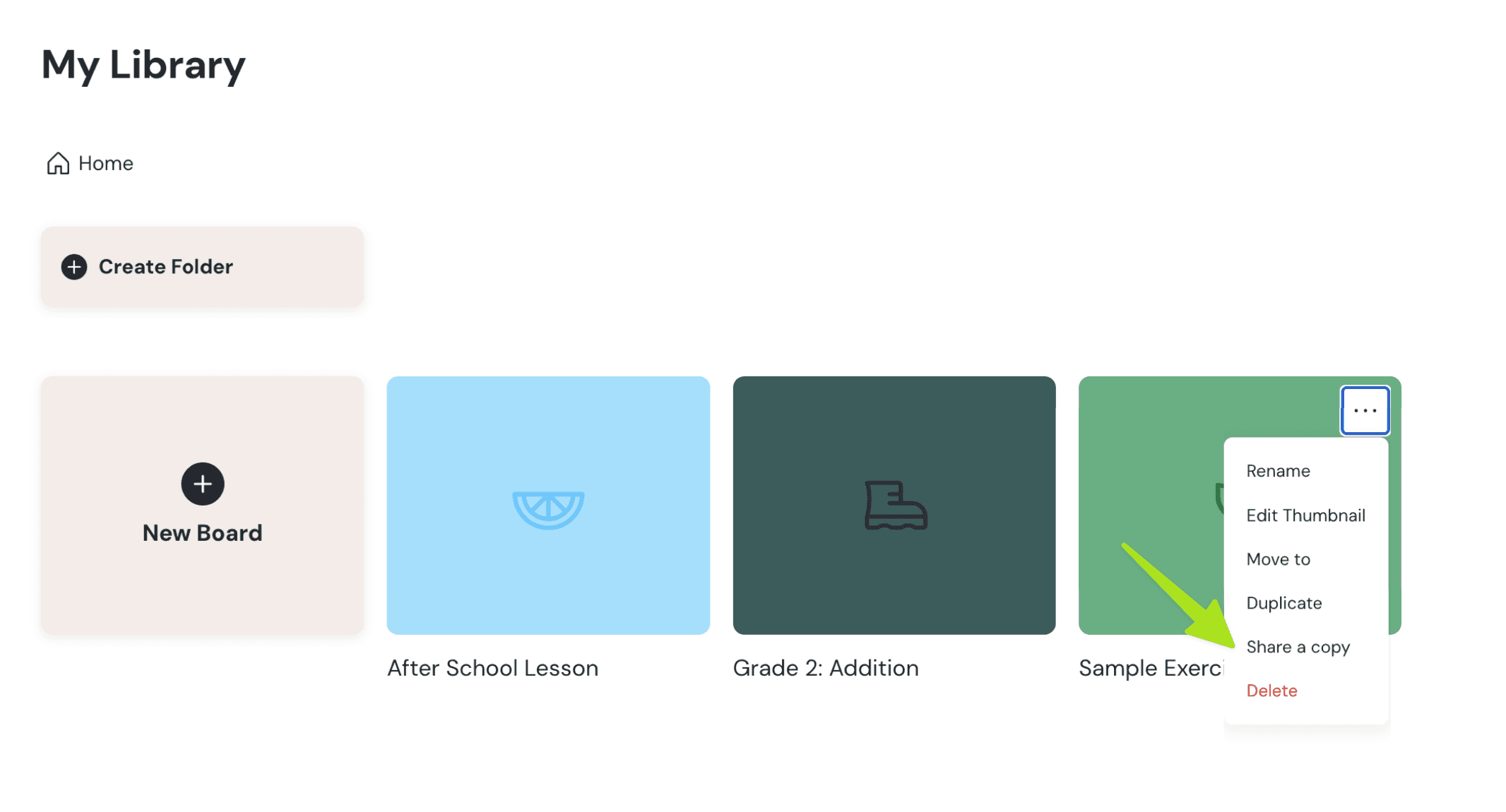
- Go to your Library.
- Find the board you want to share.
- Click the menu options (⋯) next to the board title.
- Select "Share a copy".
- A window will appear. Click "Generate link".
- Copy the link and send it to your colleague.
Option 2: Share from Within a Board
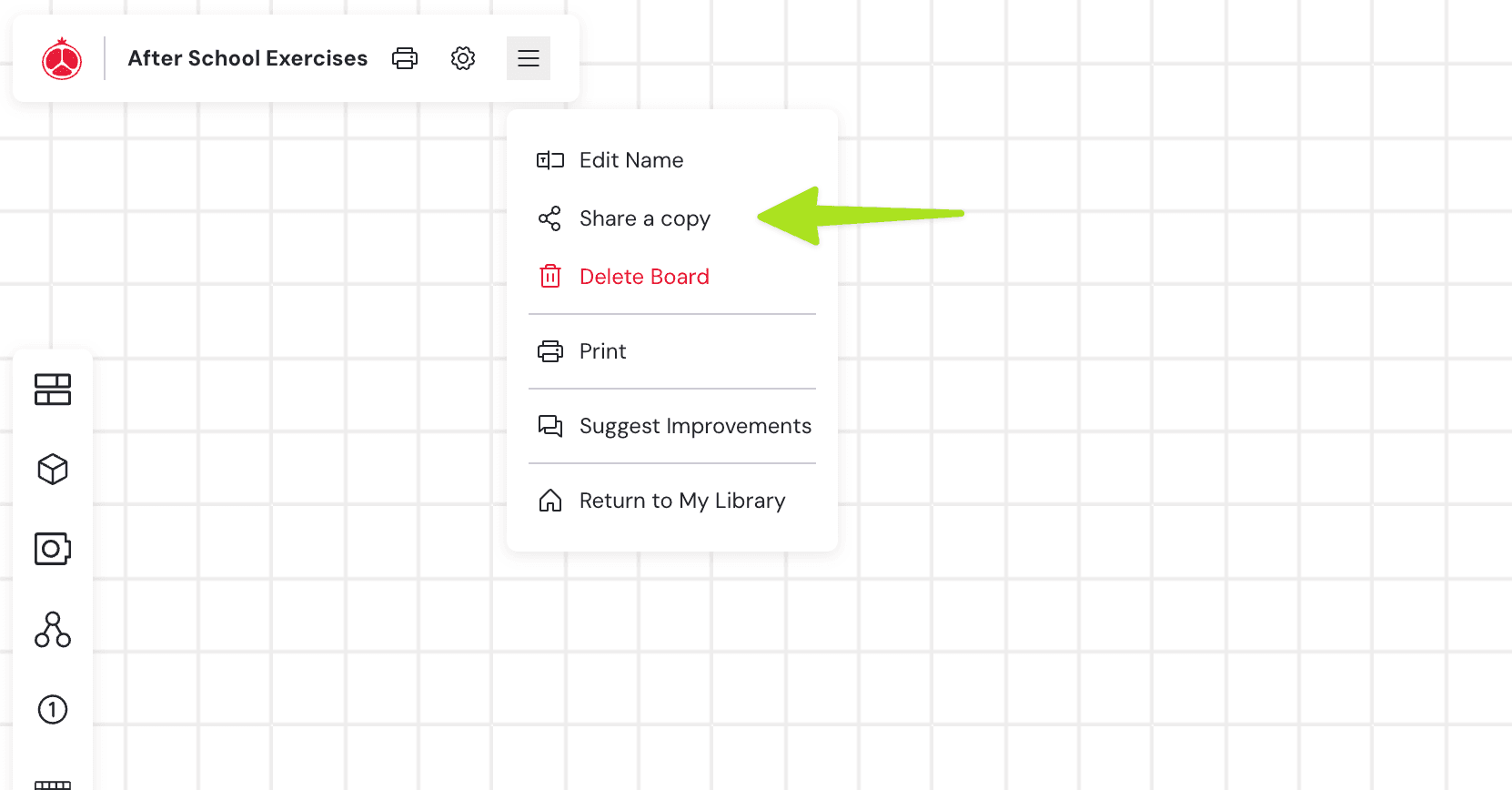
- Open the board you want to share.
- Click the menu options in the toolbar.
- Choose "Share a copy".
- A window will appear. Click "Generate link".
- Copy the link and send it to your colleague.
Generate and Send the Link
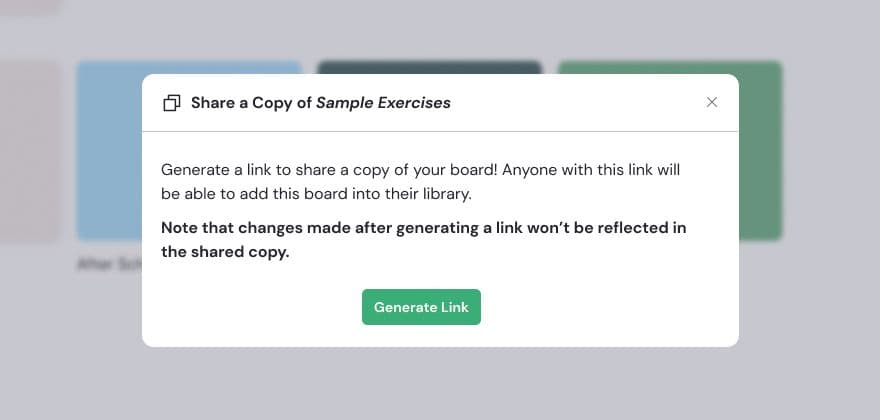
Both methods will open a window where you can generate a share link.
What Will Your Colleague See?
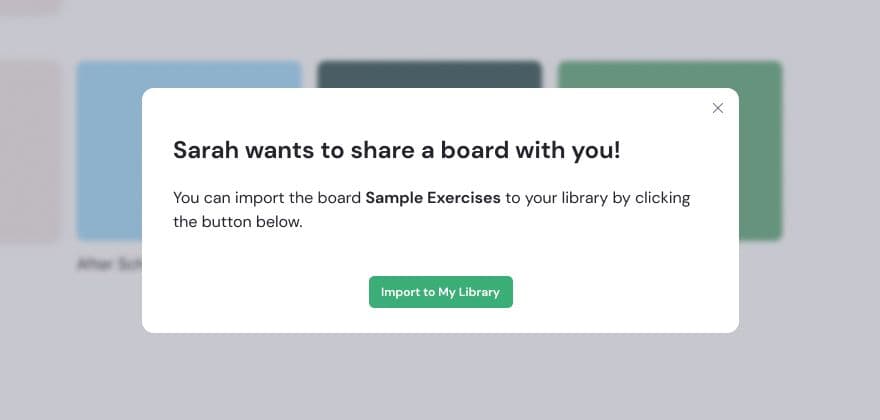
When your colleague opens the link, they’ll see a prompt that says “Import to My Library”. Once they accept, a copy of your board will be added directly to their library.
Please Note
- Any changes you make on your original board after sharing the link won’t appear on your colleague’s version. Each copy is independent once shared.
- Any edits your colleague makes won’t affect your version.