
The following steps will help you fix potential WebGL issues on Chrome:
Chrome browser

- Open a Chrome browser window and paste this into the address bar: chrome://settings/system
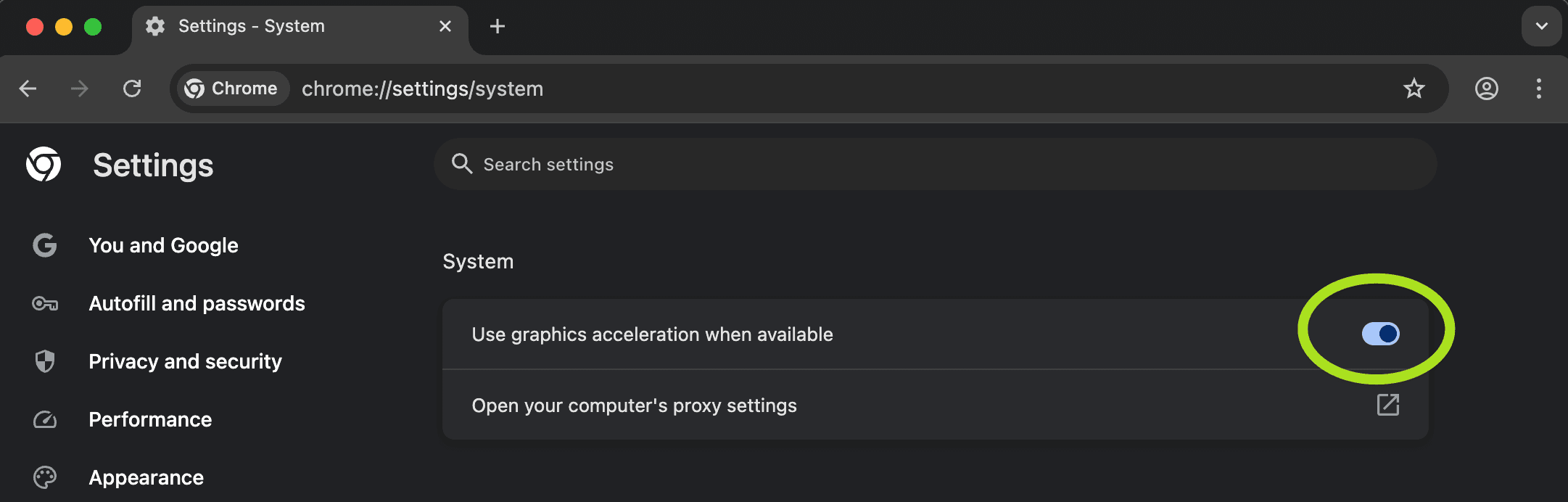
2. Make sure the "Use hardware acceleration when available" checkbox is selected. You'll need to relaunch Chrome for any changes to take effect.
3. Once you have relaunched Chrome, sign back in and refresh Pomegranate.
Still need help?
If you’re still experiencing issues in Chrome, please reach out to our team at contactus@pomegranate.so along with send a screenshot:
- Paste chrome://gpu into your Chrome address bar
- Take a screenshot of the loaded page and share it with us